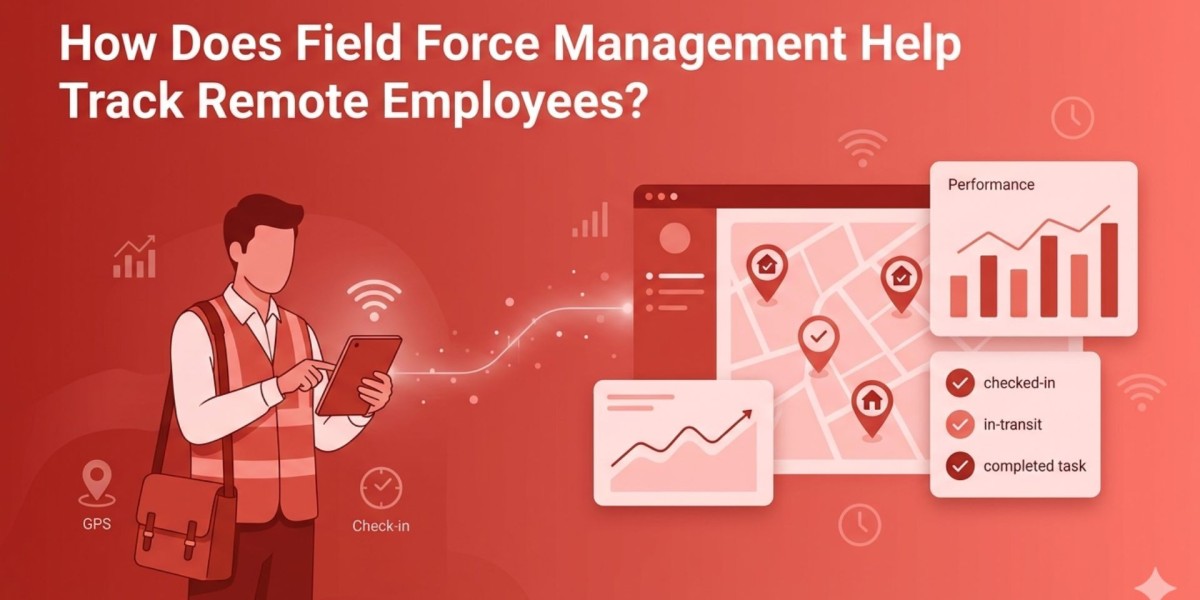

Managing employees who work outside the office can feel like a constant guessing game. Are tasks being completed on time? Is productivity consistent? Are employees where they’re supposed to be? This is exactly where field force steps in. It provides real-time visibility, structured workflows, and reliable data to help organizations monitor remote employees effectively, without compromising trust or efficiency.
In simple terms, it allows managers to track location, attendance, performance, and task progress through a centralized digital system. The result? Better accountability, improved productivity, and smarter decision-making.
What Is Field Force Management?
Field force management refers to the use of digital tools and processes to monitor, manage, and optimize employees working remotely or in the field. These employees may include sales representatives, delivery personnel, service technicians, or any team operating outside a fixed office.
Instead of relying on manual updates or guesswork, organizations can:
- Track employee locations in real time
- Assign and monitor tasks remotely
- Capture attendance with GPS or biometric check-ins
- Analyze productivity trends
This approach ensures that remote work doesn’t mean disconnected work.
How Does It Help Track Remote Employees Efficiently?
#1. Real-Time Location Tracking
One of the biggest challenges with remote teams is visibility. With GPS-enabled tracking:
- Managers can view employee locations instantly
- Route optimization becomes easier
- Unauthorized movement or delays can be identified quickly
This ensures transparency while reducing unnecessary check-ins.
#2. Automated Attendance Monitoring

Forget manual timesheets or unreliable self-reporting. Modern systems offer:
- Geo-tagged attendance
- Mobile-based clock-ins and clock-outs
- Time logs synced with daily activities
This creates accurate records without extra effort from employees.
#3. Task Assignment and Progress Tracking
Remote work becomes structured when tasks are clearly assigned and monitored:
- Managers can allocate tasks based on location or priority
- Employees receive real-time updates on their mobile devices
- Task completion status is visible instantly
This eliminates confusion and improves accountability across teams.
#4. Improved Data Security and Risk Reduction
When managing remote teams digitally, protecting sensitive data is crucial. A robust system ensures:
- Secure data storage and transmission
- Controlled access to company information
- Reduced chances of a data breach through encrypted systems
This is especially important for organizations handling client data or confidential business operations.
- Performance Monitoring and Reporting
Tracking is not just about location; it’s also about performance. Businesses can:
- Measure task completion rates
- Identify high-performing employees
- Detect inefficiencies early
Detailed reports provide clarity and help managers make informed decisions rather than relying on assumptions.
How Does It Enhance Productivity Without Micromanagement?
One of the common concerns with tracking systems is that they may feel intrusive. However, when implemented correctly, they actually empower employees.
- Employees gain clarity on expectations
- Managers focus on outcomes instead of constant supervision
- Communication becomes streamlined and purposeful
Instead of micromanaging, organizations create a culture of accountability and trust.
Why Businesses Are Adopting It Rapidly

Companies across industries are turning to solutions like EmpCloud to manage distributed teams effectively. The shift toward remote and hybrid work models has made traditional management methods outdated.
Key benefits driving adoption include:
- Increased operational efficiency
- Reduced administrative workload
- Better resource allocation
- Real-time decision-making capabilities
Turning Data Into Actionable Insights
Tracking alone is not enough; the real value lies in understanding the data. By analyzing patterns and trends, businesses can generate meaningful workforce insights that help improve operations.
For example:
- Identifying peak productivity hours
- Understanding travel inefficiencies
- Optimizing task distribution
These insights allow companies to continuously refine their strategies and stay competitive.
Best Practices for Effective Implementation
To get the most out of your tracking system, consider these tips:
- Be Transparent – Clearly communicate tracking policies to employees
- Focus on Productivity, Not Surveillance – Use data to support, not control
- Train Your Team – Ensure employees understand how to use the system
- Regularly Review Reports – Use insights to improve processes
- Maintain Data Privacy – Follow ethical and legal guidelines
Also watch this video - THIS IS IT! ? Change How You LEAD & WORK ? EmpCloud Podcast
Summary
The shift to remote work is here to stay, and businesses need smarter ways to manage distributed teams. A well-implemented field force management system not only tracks employees but also enhances productivity, improves accountability, and drives better business outcomes.
It bridges the gap between remote flexibility and operational control; making it an essential tool for modern organizations.
FAQs
Q1. Can remote employee tracking improve productivity?
Yes, it provides clarity, reduces idle time, and ensures tasks are completed efficiently without constant supervision.
Q2. Is tracking intrusive for employees?
Not if implemented transparently. When used responsibly, it supports employees rather than controlling them.
Q3. What industries benefit the most?
Industries like sales, logistics, healthcare, and field services see the highest benefits due to their mobile workforce.
Q4. How secure is employee data?
Modern systems use encryption and access controls to ensure data safety and prevent misuse.